

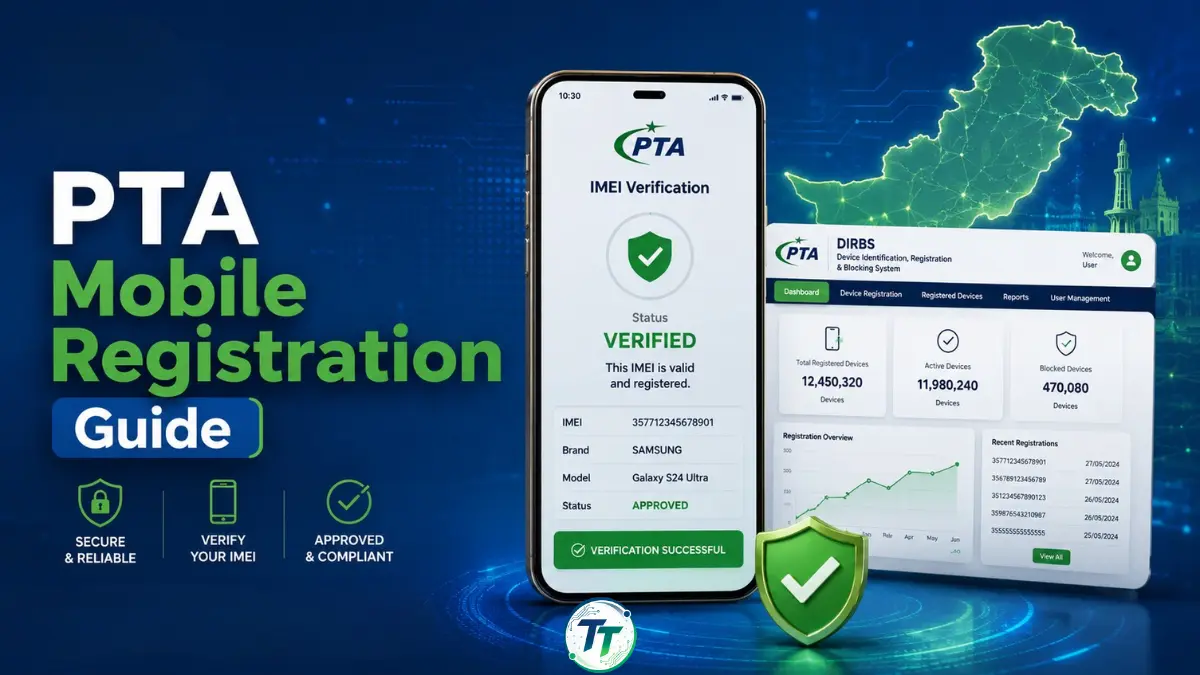
Mobile phone registration with the Pakistan Telecommunication Authority (PTA) is an important step for anyone using an imported, non-PTA, or newly brought mobile device in Pakistan. If a phone is not registered or approved, it may stop working on local mobile networks after the allowed period. This is why users should understand how PTA mobile registration works before buying or using an imported phone.
In Pakistan, mobile device registration is managed through the DIRBS, which helps verify whether a mobile device is compliant, non-compliant, blocked, or already approved for use on Pakistani networks. In this complete guide, we explain PTA mobile registration in Pakistan for 2026, how to check IMEI status, how to register a device, which methods are available, and what users should know before paying any tax or duty.
What Is PTA Mobile Registration?
PTA mobile registration is the process of registering a mobile phone with the PTA so that it can legally work on local mobile networks such as Jazz, Zong, Ufone, Telenor, and others.
The system used for this purpose is called DIRBS, which stands for Device Identification Registration and Blocking System. It is designed to identify legal and illegal mobile devices operating in Pakistan. A compliant or approved mobile phone continues to work normally, while a non-compliant or unregistered phone may be blocked from using local SIM networks.
PTA mobile registration is especially important for:
- Imported mobile phones
- Phones brought from abroad
- Non-PTA phones sold in the local market
- Courier-imported mobile devices
- iPhones and Android phones purchased from overseas
- Dual SIM phones with more than one IMEI
If you are buying a mobile phone in Pakistan, always check its PTA approval status before making payment.
Why PTA Mobile Registration Is Important
PTA mobile registration helps ensure that only legal and verified devices are used on Pakistani networks. It also helps reduce the use of smuggled, stolen, duplicate, or fake IMEI devices.
For users, PTA approval is important because a non-approved phone may work for a short time but can later be blocked. Once blocked, the phone may not connect to mobile networks in Pakistan until proper registration and applicable taxes or duties are completed.
For buyers, PTA registration also affects resale value. A PTA-approved phone usually has a higher market value than a non-PTA phone.
How to Check PTA Approval Status
Before registering a mobile phone, first check whether the device is already approved or not. You need your phone’s IMEI number for this purpose. You can check PTA status through the official PTA DIRBS system, SMS method, or USSD code where available.
To find your IMEI number:
- Open your phone dialer.
- Dial
*#06#. - Note down the IMEI number shown on the screen.
- If your phone is dual SIM, note down both IMEI numbers.
Updated PTA Mobile Registration Methods 2026
| Method | Best For | What You Need | Purpose |
|---|---|---|---|
| DIRBS Online Portal | Users who want to register from home | CNIC/ passport, IMEI, phone details | Apply for registration and generate payment slip |
| USSD Code *8484# | Mobile users who prefer phone-based process | Active SIM and IMEI details | Start mobile registration process |
| Mobile Operator Franchise | Users who need help in person | CNIC/ passport, phone, IMEI | Assisted registration through operator center |
| Courier Category | Phones received from abroad through courier | DIRBS account and courier /device details | Register courier-imported devices |
| Temporary Registration | Overseas Pakistanis and foreign visitors | Passport/ travel details and device IMEI | Use personal device temporarily in Pakistan for 120 days |
How to Register Mobile with PTA Through DIRBS
The online DIRBS portal is one of the most convenient ways to register your mobile phone. It is useful for people who want to complete the process from home.
Follow these steps:
- Visit the official DIRBS Portal.
- Log in to your existing account or create a new account.
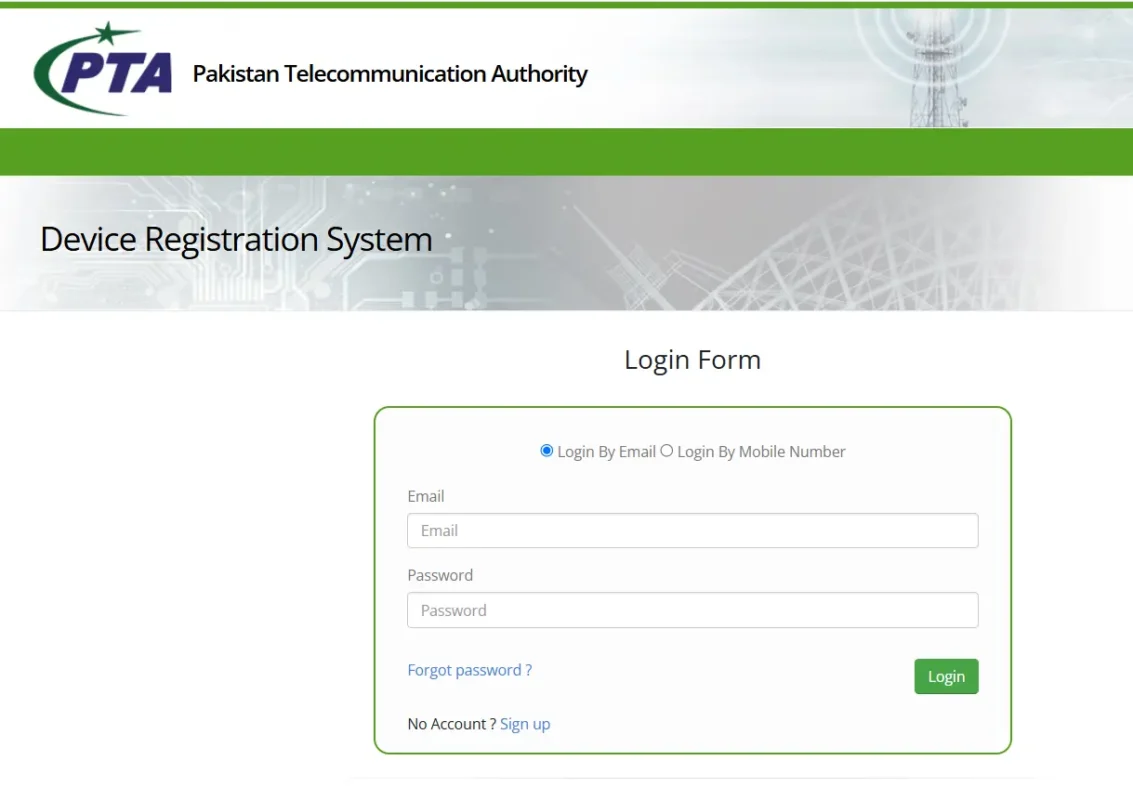
- Select the relevant registration category.
- Enter your personal details.
- Enter the IMEI number of your mobile phone.
- Submit the request.
- Generate the payment slip if tax or duty is applicable.
- Pay the required amount through the available payment method.
- Wait for confirmation.
- Check your device status again after payment confirmatio
Make sure you enter the IMEI correctly. A single wrong digit can create problems in the registration process.
How to Register Mobile Using *8484#
PTA mobile registration can also be started by dialing *8484# from your mobile phone. This method is useful for people who do not want to use the online portal. You simply dial the code and follow the on-screen instructions.
General steps include:
- Dial
*8484#from your mobile phone. - Select the mobile registration option.
- Enter the required information.
- Provide the IMEI number.
- Confirm the details.
- Follow the instructions for tax or payment, if applicable.
This method is simple, but the online DIRBS portal may be easier if you need to enter detailed information.
PTA Registration for Phones Brought from Abroad
Many overseas Pakistanis bring mobile phones from countries such as the UAE, Saudi Arabia, UK, USA, Canada, and other regions. These phones usually need PTA registration if they are to be used permanently with Pakistani SIM cards.
If you bring a phone from abroad, check its IMEI status as soon as possible within 30 days of arrival in the country. If the device is not registered, apply through DIRBS and pay the applicable duties or taxes if required.
Do not wait until the phone is blocked. Registering early can help avoid network interruption.
Temporary Mobile Registration for Overseas Pakistanis and Foreign Visitors
Overseas Pakistanis and foreign nationals visiting Pakistan may use temporary mobile registration for personal devices. This facility is useful for visitors who are staying in Pakistan for a limited time and do not want to permanently register the phone.
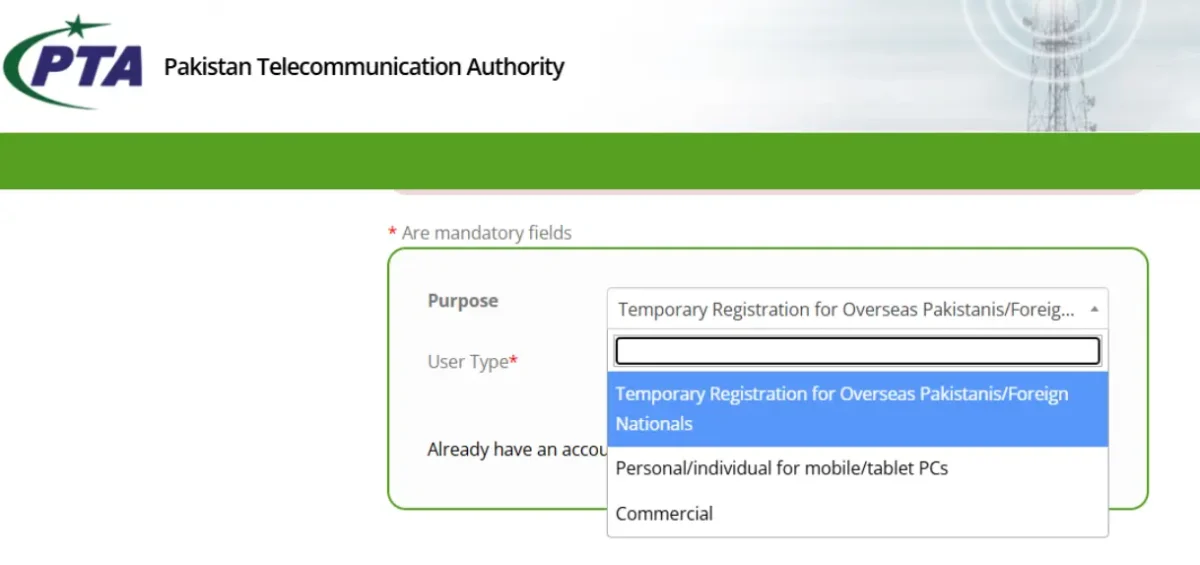
Temporary registration is mainly for short-term use. It allows eligible visitors to use their personal mobile device in Pakistan for 120 days. Users should apply through the official temporary registration facility and provide the required travel and device information.
This option is helpful for:
- Overseas Pakistanis visiting family
- Foreign visitors
- Business travelers
- Tourists
- Short-term visitors
If you plan to live in Pakistan permanently or use the phone long term, normal PTA registration may be required.
PTA Registration for Dual SIM Phones
Many smartphones in Pakistan have dual SIM support. Some phones have two physical SIM slots, while others support one physical SIM and one eSIM. If your phone has two IMEI numbers, both may need to be checked. You can find both IMEI numbers by dialing *#06#.
Before buying a dual SIM phone, make sure both IMEIs are PTA approved. Sometimes sellers claim a phone is approved, but only one IMEI is registered. This can create problems later.
PTA Mobile Registration Tax
PTA mobile registration may require payment of applicable taxes or duties depending on the device model, category, and applicable government rules. The exact amount can vary, so users should not rely only on old screenshots, social media posts, or unofficial tax lists.
The best way is to generate the payment slip through the official registration process. This gives the amount applicable to your device at that time. Before buying a non-PTA phone, always calculate the expected total cost that may include:
- Phone price
- PTA tax or duty
- Any service charges by seller, if applicable
- Risk of blocked IMEI
- Resale value difference between PTA and non-PTA phones
In many cases, a cheaper non-PTA phone may become expensive after paying the applicable tax and duty.
Pros and Cons of PTA Mobile Registration
| Advantages | Disadvantages |
|---|---|
| Legal network usage | Tax can be high |
| Better resale value | Process may confuse beginners |
| Reduced blocking risk | Wrong IMEI entry can cause issues |
| Safer buying decision | Non-PTA phones carry risk |
| Useful for imported phones | Temporary registration is limited |
Common Mistakes to Avoid
A few minutes of checking can save a lot of money. Avoid these mistakes during PTA mobile registration:
- Buying a phone without checking IMEI status
- Trusting only the seller’s verbal claim
- Checking only one IMEI of a dual SIM phone
- Entering the wrong IMEI in DIRBS
- Using unofficial agents without verification
- Paying tax based on old or fake tax lists
- Ignoring temporary registration rules
- Waiting until the phone gets blocked
PTA Approved vs Non-PTA Phone
| Feature | PTA Approved | Non-PTA |
|---|---|---|
| Works with Pakistani SIM | Yes | May stop working |
| Resale value | Higher | Lower |
| Buying risk | Lower | Higher |
| Tax status | Already cleared | May require payment |
| Best for | Regular users | Only careful buyers who know the risks |
If you are buying a phone for daily use, a PTA-approved phone is usually the safer option.
Should You Buy a Non-PTA Phone in Pakistan?
A non-PTA phone may look attractive because its upfront price is lower. However, it can become expensive after adding PTA tax or duty. It may also have lower resale value and higher risk.
You may consider a non-PTA phone only if:
- You know the exact PTA registration cost
- You are buying from a trusted seller
- You have checked both IMEI numbers
- You understand the risk
- You are sure the phone is not blocked or blacklisted
For most users, especially students, office users, and families, buying a PTA-approved phone is the safer choice.
Frequently Asked Questions
PTA mobile registration is the process of registering a mobile phone through the official system so it can work legally on mobile networks in Pakistan.
DIRBS stands for Device Identification Registration and Blocking System. It helps identify compliant, non-compliant, and blocked mobile devices in Pakistan.
Dial *#06# from your phone dialer. Your IMEI number will appear on the screen.
You can check your IMEI status through the official DIRBS system or available PTA verification methods.
Yes, you can register your mobile through the official DIRBS online portal if you have the required details.
Yes, eligible overseas Pakistanis and foreign visitors can use temporary registration for personal devices during short-term visits to Pakistan.
No. PTA tax or duty may vary depending on the phone model, category, and applicable government rules.
You should only buy a non-PTA phone after checking IMEI status and calculating the expected registration cost. For most users, PTA-approved phones are safer.
A non-approved phone may stop working on Pakistani mobile networks after the allowed period unless it is properly registered.
Yes. Many dual SIM phones have two IMEI numbers. Both should be checked before buying or registering the phone.
Final Thoughts
PTA mobile registration is an important step for anyone using an imported or non-PTA mobile phone in Pakistan. Before buying any device, users should always check the IMEI status and confirm whether the phone is already approved, non-compliant, or blocked. This simple check can help avoid loss, confusion, and network issues later.
The safest method is to use official PTA and DIRBS channels for checking and registration. Users should avoid relying only on sellers, unofficial agents, or outdated tax screenshots because mobile registration rules and applicable duties may change over time.
For most regular users, buying a PTA-approved phone is the better and safer option. However, if someone wants to buy a non-PTA phone, they should first calculate the full cost, including possible registration charges, before making the final decision.
Keep visiting Tecno Times – Your trusted source for tech news, smartphone reviews, telecom updates, and digital guides.

